Three Engineers, Three Skill Packs: Matt Pocock, pstack and Addy Osmani Compared
Matt Pocock, Lauren Tan and Addy Osmani turned their engineering habits into skills for AI coding agents. What is in each pack and how they differ.
 Elyor Djalalov
A skill is a small instruction file for an AI coding agent. It is a folder with one file inside, called SKILL.md. The file has a name, one line that says when to use the skill, and a list of steps.
The agent reads the short description of every skill you install. When your task matches a description, the agent opens the full file and follows the steps. Some skills only run when you type their name as a command, for example /grill-me.
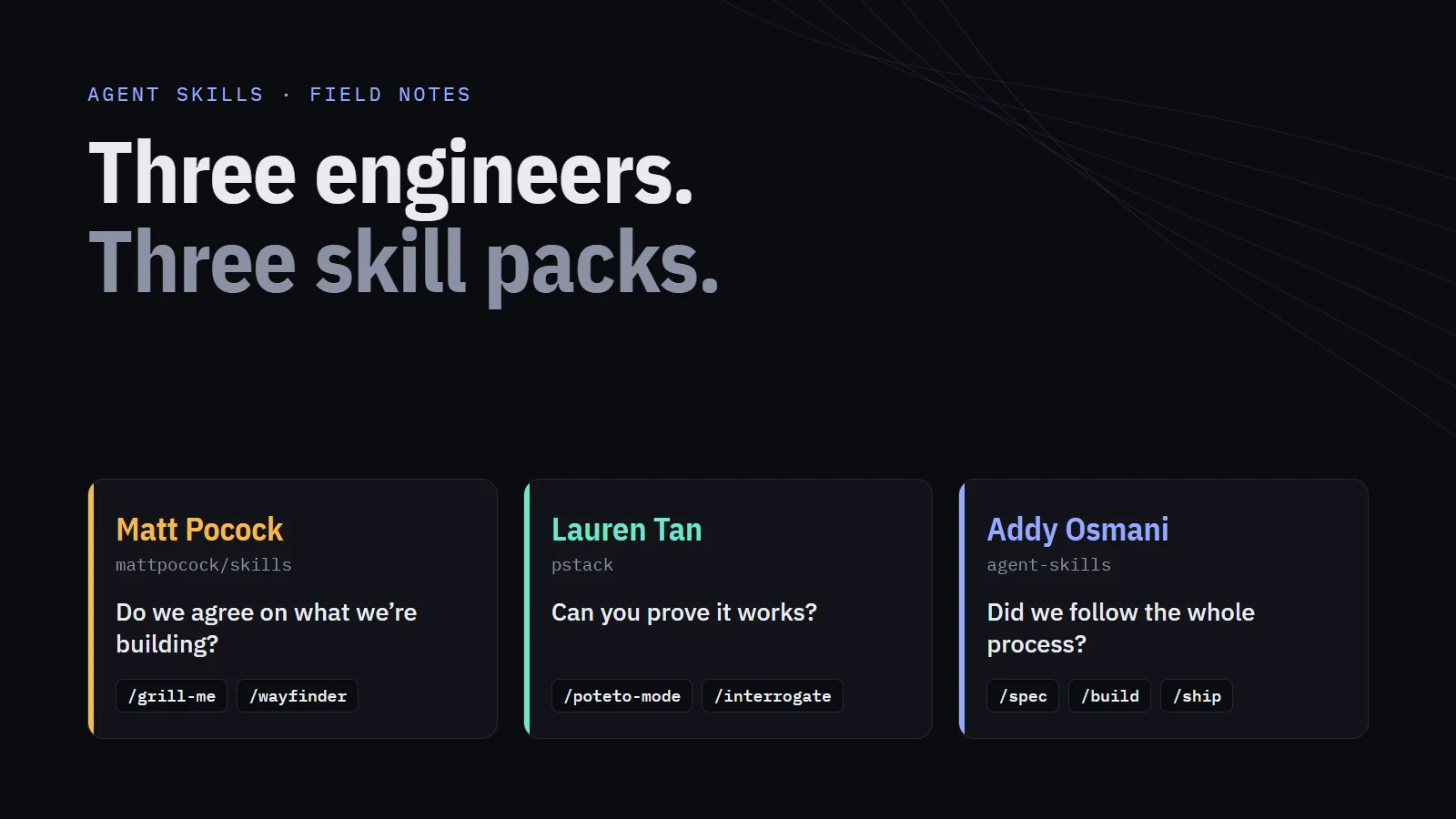
Skills are plain Markdown text. Anyone can write one, and they work in Claude Code, Codex, Cursor, Copilot and most other AI coding agents. Three well-known engineers have shared the skills they use every day:
- Matt Pocock teaches TypeScript. He runs Total TypeScript and AI Hero.
- Lauren Tan (her online name is poteto) works on React Compiler. Her pack is called pstack.
- Addy Osmani led Chrome developer tools work at Google for more than ten years. He now works at Anthropic.
Each pack tries to answer a different question:
| Matt Pocock | pstack (Lauren Tan) | agent-skills (Addy Osmani) | |
|---|---|---|---|
| Main question | Do we agree on what we are building? | Can you prove that it works? | Did we follow every step of the process? |
| Best at | Making the goal clear before coding | Checking the code after it is written | Covering every step, from idea to release |
| Size | About 30 small skills | 1 main skill with 22 playbooks, 24 short rules, 30+ tools | 25 skills, 4 reviewer roles, 9 commands |
| Planning | Most of the work happens here | No planning by default | A written spec and plan before coding |
| Best-known skill | /grill-me |
/poteto-mode and reviews that need proof |
A list of excuses in every skill |
| Made for | Claude Code first, works in others | Cursor first, copies exist for others | Any agent (70+ agents through one install tool) |
In my last post I compared four frameworks: EGM, Spec Kit, OpenSpec and Superpowers. A framework controls your whole process. These three packs are different. Each one is the personal habits of one engineer, written down. You can install one skill, change it, and ignore the rest.
For this post I read the README and the skill files in each project. Every claim below links to the source.
1. Matt Pocock: “Do We Agree on What We Are Building?”
At the top of his README, Pocock names three big frameworks: GSD, BMAD and Spec Kit. He says they control the whole process, so you lose control, and problems in the process are hard to fix. His skills do the opposite. They are small, you can combine them, and you can easily edit them.
His ideas come from classic software books: The Pragmatic Programmer, Domain-Driven Design, Extreme Programming Explained by Kent Beck, and A Philosophy of Software Design by John Ousterhout.
The README lists four common problems with AI agents, and one fix for each:
- The agent builds the wrong thing. You and the agent did not agree on the goal. Fix: let the agent ask you questions first.
- The agent uses too many words. It does not know the special words of your project, so it uses twenty words instead of one. Fix: a shared list of terms.
- The code does not work. The agent cannot see how its code runs. Fix: types, browser access and tests.
- The code becomes a mess. Agents write code very fast, so the code also gets messy very fast. Fix: think about the design of your modules every day.
Grilling
To “grill” someone means to ask them many hard questions. /grill-me is Pocock’s most popular skill. It uses a shared skill called grilling. This is how it works:
- The agent draws your idea as a design tree. Each decision leads to smaller decisions that depend on it.
- The agent asks questions in rounds. In each round, it asks only the questions that it can ask now, because the earlier decisions are already made.
- Every question comes with the agent’s recommended answer. If you agree, you just answer “yes”.
- The agent finds facts. You make decisions. If a question needs a fact from the code, the agent sends a helper agent (a “sub-agent”) to look it up. It does not ask you.
- The interview ends when every decision is made. The agent does not start work until you confirm that you both understand the plan in the same way.
The recommended answer is very useful. You can accept the easy answers quickly and spend your time on the hard ones.
/grill-with-docs runs the same interview but also writes notes. New terms go into a file called GLOSSARY.md. Important decisions go into ADRs (Architecture Decision Records), short documents that explain why a decision was made.
Pocock says this shared list of terms may be the most powerful idea in his whole project. In his example, a long sentence that describes a process in his course app becomes two words: “materialization cascade”. Short terms make prompts shorter, keep names in the code consistent, and help the agent understand you faster.
Wayfinder
Some work is too big for one agent session. For this work, /wayfinder builds a shared map in your issue tracker (for example GitHub Issues). The map is a list of decision tickets. Each ticket is a question to answer, not a piece of code to build.
The map is not complete, and that is on purpose. Pocock uses the term fog of war from video games: you cannot see the parts of the map that you have not explored yet. Some questions you know are coming, but you cannot write them clearly yet. These go into a section called “Not yet specified”. When you answer a ticket, some of the fog clears, and new tickets appear.
How do you decide if something is a ticket or still fog? Ask: can I write this question clearly now? It does not matter if you can answer it yet.
Wayfinder only plans. It does not build. If you want to stop planning and start coding, that usually means the plan is ready.
Other Skills in the Pack
/to-specturns your conversation into a spec./to-ticketssplits the spec into small tickets, and each ticket shows which other tickets must be done first./implementbuilds from a spec. It writes tests first, and at the end it runs a code review.code-reviewruns two separate reviews at the same time, each by its own sub-agent. One checks the code against your coding rules. The other checks it against the spec. Because they are separate, one review does not affect the other.diagnosing-bugsfixes bugs step by step: write a test that fails because of the bug, make the problem smaller, guess the cause, add logging, fix it, and keep the test so the bug cannot come back.improve-codebase-architecturelooks for places to build “deep modules”. A deep module does a lot of work behind a small, simple interface./handoffturns the current conversation into a short document, so the next agent can continue the work.
There is one more idea worth copying. Pocock has two types of skills:
- User-invoked skills only run when you type their name. They control the flow of work.
- Model-invoked skills can also start on their own, when the agent decides it needs them. They hold reusable rules.
A user-invoked skill never calls another user-invoked skill. This keeps the agent’s memory small and its behavior predictable.
How to install: in Claude Code, run claude plugin install mattpocock-skills@claude-plugins-official. Then run /setup-matt-pocock-skills once in each project, to choose your issue tracker and the folder for documents. For other agents, run npx skills@latest add mattpocock/skills.
When to use it: when your idea is not clear yet, when the project will live for many years, or when you want a light process that you fully control. For a small feature, one grilling session and a test-first build is often enough.
2. Lauren Tan’s pstack: “Can You Prove That It Works?”
Lauren Tan works on React Compiler. She has worked on very large codebases at Meta, Netflix and Cursor. She built pstack to ship code at Cursor, and it is in Cursor’s official plugins project.
Her main point: AI writes too much low-quality code. She wants agents to write less code, but better code. If you can trust one agent, you can run many agents at the same time.
No Planning Skills
pstack has no planning skills, and this is a choice. Tan writes that she does not believe in planning, because “the best spec is code.” Cursor has its own plan mode if you want it, and pstack can make a plan if you ask. But planning is not the default.
Instead, pstack focuses on checking. A passing build is not enough. The agent must show proof that the feature really works.
The Main Skill: poteto-mode
You start almost every task by typing /poteto-mode and one sentence about the task. Then the skill:
- chooses one of 22 playbooks, which are step-by-step guides for one type of task: fixing a bug, making code faster, building a feature, cleaning up code, building a quick prototype, getting a pull request ready to merge, a long run while you sleep, continuing another agent’s work, and more;
- creates a to-do list from the playbook’s steps;
- runs other skills when a step needs them.
For a bug, the steps are: make the bug happen again, study the code, give the fix to a sub-agent, then run the failing case again. Two skills help with the study step. /how explains how a part of the system works. /why explains why it was built that way, using old commits and pull request discussions. At the end, you get the fix and proof: the output before the fix and after it.
The main skill also uses 24 principles. Each principle is a tiny skill with one rule. Some examples:
- Laziness protocol: prefer deleting code, and make the smallest change that solves the problem.
- Fix root causes: find the first place where things went wrong, and fix it there.
- Never block on the human: keep working, show the result, and let the person correct it later. Only stop and ask before actions that you cannot undo.
- Prove it works: check the real result. Run the feature, read the real value, look at the actual changes. “It compiles” is not proof. The agent’s own report is not proof either.
Arena, Swarm and Interrogate
These three skills give the same work to several agents at once. Often each agent uses a different AI model.
/arenagives one task to several agents. Each agent works in its own separate copy of the project (a git “worktree”). Before they start, the main agent writes a list of things to score. Then a judge from a different AI company scores every result. The best result becomes the base, and good parts from the other results are added to it. If all agents build almost the same thing, that is a strong sign that the answer is right. If they build very different things, the task was not clear, so you rewrite it and try again./swarmsplits a big job into parts (for example, one agent for each package), or gives the same job to several agents to see which one does best. At the end, you get one report. Every agent reports PASS, ISSUES or BLOCKED, and it must show evidence./interrogateis a review where several AI models try to break your code. A problem only counts if the agent ran a command and the output shows the wrong behavior. Opinions about style, and ideas like “this might break one day”, are removed. “No problems found” is a valid result.
I would copy this last rule first. When a review comment comes with a failing test, you can act on it right away. A comment without proof is often just noise.
Other Useful Tools
/create-verification-skillwrites a checking skill just for your project, with a list of your app’s features. Every future agent can run the same checks again./blast-radiuschecks what a small change could break in other places. It proves the change is safe by running code./correctlooks at your past sessions for mistakes you correct again and again. It fixes each type of mistake in the strongest way possible: in the architecture first, then with types, lint rules and CI checks, then with tests, and only last with documentation./automate-mereads your past sessions and writes your own personal mode skill, based on how you work./setup-pstackchooses which AI model does which job: writing code, judging, or reviewing.
How to install: in Cursor, run /add-plugin pstack. In Claude Code, run /plugin marketplace add cursor/plugins, then /plugin install pstack@cursor-plugins. Other developers made copies for other agents, for example pstack-claude and a standalone copy.
When to use it: for bugs that are hard to make happen again, for big migrations where several agents and reviews are worth the cost, for long runs at night when you need to trust the result in the morning, and when you can use AI models from more than one company.
3. Addy Osmani’s agent-skills: “Did We Follow Every Step?”
Osmani worked at Google for more than ten years. He led work on Chrome developer tools and web speed, including Lighthouse and Core Web Vitals. He also wrote the book Learning JavaScript Design Patterns. Today he works at Anthropic.
His pack is the most structured of the three. It is also the easiest to give to a team, because it uses the normal steps of building software and no unusual names.
Six Steps, Nine Commands
DEFINE → PLAN  → BUILD  → VERIFY → REVIEW  → SHIP
/spec    /plan   /build   /test    /review   /ship
There are three more commands:
/constraintshelps you agree on quality rules one time, and saves them in a file calledCONSTRAINTS.md./webperfmeasures how fast your website is, using Core Web Vitals./code-simplifymakes working code simpler and easier to read.
/build auto does many steps for you. It takes an approved spec, writes the plan, and builds every task in one run. You approve the plan only once. But each task still gets tests first and its own commit, and the run stops if something fails or a step looks risky.
The 25 skills cover much more than writing code: interviews, ideas, API and UI design, security, speed, CI/CD (automatic build and release), monitoring, removing old code, ADRs and release checklists. One extra skill, using-agent-skills, chooses the right skill for each task.
A List of Excuses in Every Skill
Every skill has the same parts: when to use it, the steps, a table called Common Rationalizations, warning signs, and the proof needed at the end.
A rationalization is an excuse that sounds reasonable. The table lists excuses an agent might use to skip a step, and gives an answer to each one. For example, in the testing skill, the excuse is “this is too simple to test”. The answer: simple code becomes complex over time, and the test records what the code should do.
This works because agents really do invent excuses to skip steps. An exact answer next to the rule is much harder to ignore than a general rule like “always write tests”.
Reviewers and Fresh Eyes
The pack includes four reviewer roles:
- a senior staff engineer, for code review,
- a test engineer,
- a security auditor,
- a web performance auditor.
/ship runs all four reviewers at the same time, then combines their results into one answer: ready to release, or not ready.
There is also a skill for decisions in the middle of the work, called doubt-driven-development. It sends each important decision to a reviewer with “fresh context”: a new agent that did not see the earlier conversation, so it is not influenced by it. It can also ask a different AI model, if you allow it. This is the same idea as the “Goldfish” reviewers in Google’s EGM from my last post, but used while building, not before.
The skills also include well-known rules from Google’s engineering culture. Two examples:
- Chesterton’s Fence: before you delete old code, find out why it exists.
- Small changes: keep each change to about 100 lines, so it is easy to review.
There is one thing that the other two packs do not have: automatic tests for the skills themselves. The project’s CI checks that each skill description uses the words people actually type, and that two skills do not compete for the same request. A third level of tests scores real agent runs.
How to install: npx skills add addyosmani/agent-skills installs the pack into more than 70 agents. To install only one skill, add --skill and its name, for example --skill test-driven-development. In Claude Code, run /plugin marketplace add addyosmani/agent-skills, then /plugin install agent-skills@addy-agent-skills.
When to use it: for teams that ship real software and want one clear, predictable process. But start small. For existing projects, the adoption guide suggests that you turn on the checks first. Do not turn on all 25 skills on day one.
What They Agree On, and What They Don’t
The three packs agree on several things:
- Write tests first. All three packs have a TDD skill. TDD (test-driven development) means: write a test that fails, write code until it passes, then clean up the code. Pocock and Osmani use this as the normal way to build. pstack uses it when a quick local test is possible, and otherwise checks by running the real app.
- Fresh eyes are better than self-review. Pocock uses separate review sub-agents. pstack uses judges and reviewers from other AI companies. Osmani uses reviewer roles and fresh-context reviews. In all three, the agent that wrote the code does not grade its own work.
- Plain Markdown. There is no special software to run, and you are not locked in. You can read every rule the agent follows.
They disagree on two things:
| Pocock | pstack | Osmani | |
|---|---|---|---|
| Planning | Most of the work happens here | No planning by default; the code is the spec | A spec and a plan before every build |
| When the agent stops to ask you | It waits until you confirm the plan | Rarely; it keeps working and you correct it later | A human check after every step |
No side is wrong. I think the difference comes from their work. Pocock is a teacher, and in teaching, a clear idea is most of the work. Tan has worked for years on compilers and huge codebases, where the hard part is proving that a change is safe. Osmani spent years building tools for very large teams, where everyone must work in the same way.
Use Only One Main Skill
You can mix single skills from different packs. But do not install two packs that each have a main “router” skill (a skill that decides which other skill to use). poteto-mode and using-agent-skills both want to make that decision, so they conflict. Also, two /tdd skills with different rules will confuse the agent.
Osmani’s own comparison page gives the same advice: choose one pack as your main pack, and take single skills from the others.
Use as Much Process as the Task Needs
This is the most useful lesson from all three packs: use as much process as the task needs, and no more.
| Task | What to use |
|---|---|
| Small UI fix | Make the change, refresh the page and check it yourself. No spec, no task list, no reviewers. |
| Small feature | One interview (/grill-me, or Osmani’s interview-me) to agree on the goal, then build it with tests first. |
| Big or unclear feature | A written plan in small steps (/wayfinder, or /spec and /plan). Check each step before you start the next one. |
| Production or security work | Several reviewers (/ship or /interrogate), the security skill, and proof from running the real app. |
Two more lessons:
- Keep instructions short. The agent must read the description of every skill you install. More skills do not make the agent smarter. Too many skills confuse it. Install what you use and remove the rest.
- Update your skills when the agent makes a mistake. All three packs support this. pstack has
/correctand/reflect, and Pocock has/retro. If you never change your skill files, they slowly stop matching how you work.
My Opinion
In my posts about spec-driven development, I wrote two things. First, the interview is the most underrated step in my workflow. Second, I work mostly alone, so I approve my own specs. Each pack has an idea that helps with these two points:
- From Pocock: a recommended answer for every question. Long interviews are tiring. If I can accept the obvious answers with a “yes”, I keep the hard questions and skip the easy ones.
- From pstack: reviews that need proof. When you work alone, reviewers from different AI companies, who must show a failing test for every problem, are the closest thing to a second human reviewer.
- From Osmani: the list of excuses. A rule like “tests before code” is easy to write, and also easy for an agent to ignore. Writing the excuse and the answer next to the rule is a cheap fix.
But no pack can decide how much process a change needs. That is still the engineer’s job.
Links
The three packs
- Matt Pocock’s skills: GitHub · Grilling skill · Wayfinder skill
- pstack (Lauren Tan): In Cursor’s plugins project · Lauren’s article about pstack · Claude Code version · Standalone copy
- Addy Osmani’s agent-skills: GitHub · Comparison with Superpowers and Pocock’s skills · Adoption guide
Related
- skills install tool: skills.sh · GitHub
- Superpowers, the framework that Osmani compares with: GitHub
- My earlier comparison: EGM, Spec Kit, OpenSpec and Superpowers

Elyor Djalalov
AI-native инженер. Пишу об инженерии с ИИ, разработке на основе спецификаций, веб-разработке и архитектуре ПО.
Все статьи →